Download Fabrik cloud ebook reader 1 43 apk
Thursday, April 10, 2014
 Fabrik (cloud ebook reader) 1.43
★★★★★★★★★★
Featured on XDA developer, The Android Soul, Android Authority, Makeuseof, Pocketables and more.
"This particular one is refreshing to have" - Makeuseof
"In case of Fabrik reader, it’s working great out of the box and allowing you to sync your e-books with Dropbox." - The Android Soul
"The best. Ever open a new app and say I love it? That is what Fabrik did for me." - User comment
★★★★★★★★★★
What is Fabrik Reader? The most beautiful, elegant cloud ebook reader that works seamlessly with your Dropbox and Google Drive.
Whats so different about Fabrik Reader, is that it just works, beautifully out of the box. What Fabrik Reader gives you, is a really premium, yet really simple and comfortable ebook reading experience. Plus, it always keeps everything synchronized in the cloud, and that means you can keep reading on all your devices, seamlessly.
With Fabrik Reader, you get:
★ Complete synchronization of the entire reading experience with your Dropbox or Google Drive. That means, all your books, reading progress, annotations, and notes are synchronized. You can use as many devices to read as you want, and everything will just automatically keep in sync.
★ An absolutely gorgeous interface that will make your reading experience really premium, comfortable and easy on your eyes.
★ Annotate your books and take notes.
★ Tablet optimized two column landscape reading model.
★ TTS(text to speech) support, read your books to you and you can just relax.
★ Custom fonts(packed with dozens of them), text size, line spacing, screen brightness, night model, etc.
★ Share your reading progress, or your faviourite paragraphs with your friends (with a beautiful book cover).
★ Find covers for your books automatically when they dont have one, which makes your library(bookshelf) looks even better.
★ Support txt, epub, mobi (mobipocket), prc format (and more will come in the future). Also have an experimental pdf support which can handle small pdf files.
Again, if you want a beautiful book reader that just works out of the box, and keeps everything in sync, Fabrik Reader is just the way to go. So why not give it a shot? Its free any way :)
(Fabrik Reader has now successfully converted many users from aldiko, moon+ reader, stanza, kindle, nook, kobo, etc. Fabrik (digital, electronic) Reader also works great for calibre (caliber) users. Try it now, and you wont be disappointed)


PDF Reader iPhone Premium Edition 4 2 Ipa Download
Wednesday, April 2, 2014
PDF Reader - iPhone Premium Edition v4.2 Ipa Download
***********Widely Recognized by iTunes Store & Media***********
+ Featured as “10 Essentials” in Utility on iTunes in 2012
+ Featured as one of best in the Utility Category of App Store Rewind 2011
+ Overall: Top 100 in USA store and more than 20 stores.
+ Productivity: #1 in USA, Germany, Mexico, Brazil, and many other stores.
+ Utility: Top 100 in more than 91 countries
Key Features
- FILE SCAN FEATURE (Your File Depository)
*Import images using built-in camera and from Photo Library
*Image Adjustments: Exposure (document enhancement), B&W, Auto and Cropping
*Export scans to multi-pages PDFs
*Scanner Setting (title, password, page size, layout, margins, page number)
- FILE TRANSFER & BACKUP (Your Collaborating Tool & File Backup Expert)
*Integrated cloud storage services – MyDisk, SugarSync, Box, Dropbox, GoogleDocs and GoogleDrive
*FTP and WebDAV client support
*File Backup: WiFi, iTunes USB and Open-in feature
*GoogleDocs online editing: Access and edit files with different devices via iCloud
*Manage multiple cloud storage accounts within a single interface
- FILE MANGER & VIEWING MODE (Mobile Reading Provider)
*Fast and stable rendering performance
*Support file search by inserting keywords
*Sort the file by name/date/size
*Page Slider viewing mode
*Allow to open password-protected PDF files
*View B/O/T (Bookmark, Outline, Thumbnail)
*Full Text Search
*Text Reflow & Auto Flow
*AirPrint supported
- FILE ANNOTATION, MARKUPS & FORM FILLING (Document Solution on the Go)
*Shortcut to annotation toolbar – Add markups anytime
*Highlight, underline, strikethrough and squiggly markup on the text
*Add shapes, sticky notes, text boxes to record important information
*PDF Signature - Freehand drawing
*PDF Flatten Tools supported – Email out annotation & PDF forms flattened copies
*Allow form filling
- OTHER FEATURES
*Built-in dictionary: search directly from device (iOS 5 or later)
*Google and Wikipedia search integration: Allow online searching without closing the document you’re reading. (iOS 4 or later)
*Image Viewer with Slideshow Feature: Easily progress through all images in the file list and folder
*Air play support
Whats New
Enhance your reading experience
+ Optimized performance in PDF file rendering speed
File Manager
+ File sorting –by date, name and size
+ “Recently opened” category
+ Tag management – Organize your files more effectively
PDF Annotation & Viewer
+ Adjust the opacity of the marker tool
+ Set “Auto Flip” in Text Reflow
Minor bugs fixed
Download 26mb ipa via
link1 CLICK HERE
All Of Wiki Offline A Wikipedia Reader Ipa Download for Iphone ipad
Monday, February 24, 2014
All Of Wiki - Offline A Wikipedia Reader 1.63 Ipa Download for Iphone ipad

Details
version 1.63
Description
All about Wiki - Offline is the fastest, most frequently updated, and fully featured completely offline Wikipedia application available for iPad and iPhone/iPod. Sync once and youll never need a connection again to have every single article on Wikipedia.FEATURES
- Supports English, German, French, Spanish, Russian, Italian, Danish, Dutch, Portuguese, Arabic, Swedish, and Dutch with this one application.
- This one application works for iPad & iPod/iPhone.
- Instant completely offline search and article loading.
- Latest article and image caching if connection is available.
- In app updating of Wikipedia data dumps. No re-installing.
- Search in current article.
- Bookmarks, history, random articles, table of contents, etc.
- Change the font size, font type, and background.
- Landscape viewing with orientation lock.
- Fully resumable compressed database downloads hosted on distributed cloud servers. Very fast.
MOST IMPORTANTLY
Contains every article in the Wikipedia database of your choice. English database size comes in around 4GB, other languages around 2GB or less. Why so big? We dont skimp. Its all there, tables of contents, links, and every single article and redirected search term. This is a meticulously pruned and compressed data set. We feel it is the right compromise between size, availability, speed, and ease of use. There are no images for articles until they are loaded with an internet connection available.
the data dump over wifi. This takes between 3 and 4 hours, so follow the instructions and then go grab some lunch.
2) You now have every Wikipedia article on your device. Use it wherever you are, you don’t need an internet connection.
3) Your purchase allows you to initially download the Wikipedia data dump and then also download it again once after that for free. After than a $1 in app purchase will be required to cover the hosting cost of such a large and rapidly transferred file. Updated dumps will be available shortly after Wikipedia releases them, this usually occurs once every month or so.
DID WE MENTION SUPPORT?
We answer every single email sent to "support@brilliantish.com"! Imagine that!
Whats New in Version 1.63
Fixes crash issues from viewing articles online.Download 5mb ipa via
Download Universal Book Reader 2 1 260 on a apk Format For Android
Wednesday, February 12, 2014

UB Reader opens Adobe DRM protected files in EPUB format and PDF files.
** Please note: To remove the UB Reader advertisements you need to purchase the UB Reader Full Version Key. **
Read More About Universal Book Reader 2.1.260 Apk >> https://play.google.com/store/apps/details?id=com.mobisystems.ubreader_west
Download Universal Book Reader 2.1.260 on a .apk Format
Free Tapatalk 4 – Community Reader 1 4 3 Apk on Blogger
Sunday, December 22, 2013
Tapatalk 4 – Community Reader 1.4.3 Apk

Download & Features of Tapatalk 4 – Community Reader 1.4.3:
Application Name: Tapatalk 4 – Community Reader 1.4.
File Type: .apk
File URL: https://play.google.com/store/apps/details?id=com.quoord.tapatalkHD
Si e: Varies with device
Category: Social
Last Updated: August 13,...
Tapatalk 4 – Community Reader 1.4.3 Apk
Press RSS Reader 1 4 2 APK
Thursday, November 14, 2013
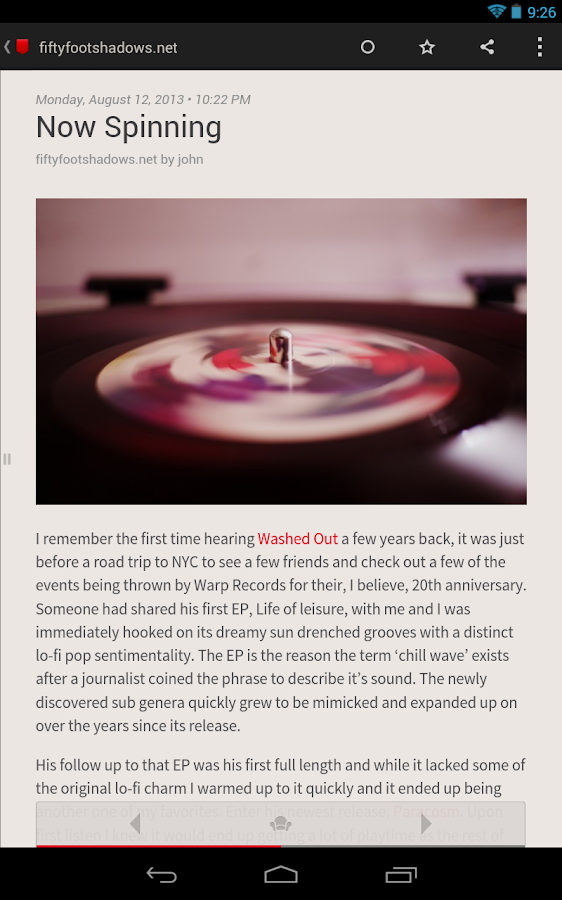
Note: This app requires a Google Reader account to sync your RSS subscriptions.
Press (RSS Reader) 1.4.2 APK Features:
- No ads
- Syncs with Google Reader
- Quickly manage the articles you want to read
- Offline reading support
- Clean reading environment
- Simple swipe navigation
- Image zooming
- Change reading font style and size
- Share the articles you read or star them for later
- Open articles in the app or your default browser
Press (RSS Reader) 1.4.2 APK Details:
- Press the favicon to next to an article to "fast mark" the articles as read/unread
- Long-press the favicon to have the option to mark all older articles as read
- When reading an article, double-tap any image to get a closer look
- Also, tap the article title to read it in the browser
Whats New IN Press (RSS Reader) 1.4.2 APK
1.4.2
- Fixed issues introduced in last version
Press (RSS Reader) 1.4.2 APK
Requirements: 4.0 and up
Overview: Introductory price to celebrate our launch!
Press is a Google Reader app that is all about the reading experience. It has been designed with the purpose of making your news easier to read. Quickly move from screen to screen and effortlessly manage the articles you want and the ones you dont.
Press (RSS Reader) 1.4.2 APK
MORE INFO:
https://play.google.com/store/apps/details?id=com.twentyfivesquares.press


