Vault App Locker and Lockscreen Premium v1 1 1 Apk download
Tuesday, January 14, 2014
Vault App Locker and Lockscreen Premium v1.1.1 Apk download
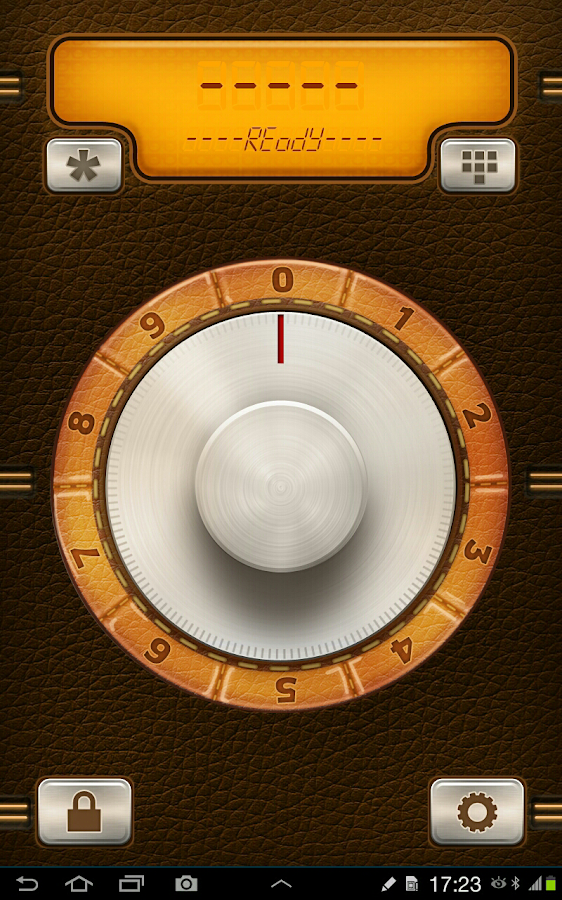
► Dial pin input
► Numpad pin input
► Set a different pin for each app
► Lock apps such as Gallery, SMS, Contacts, Email, File Manager, Play Store, etc
► Lock all installed user apps
► Lock incoming phone calls, messages, notifications, games and much more
► Lock device Settings
► Use Vault as Lockscreen replacement
► Snap mugshot of intruders by instantly taking pictures of the intruder from the front camera
► Automatically search device location
► Automatic security email
► Unlock when connected to Wi-Fi
► Unlock during specific time of day
Overview: Vault is an all-in-one, advanced App Locker and Lockscreen app designed to protect your Android device from intruders!
Download 18mb apk via
ZIPPYSHARE

Download Espier Screen Locker 1 2 11 apk
Tuesday, December 10, 2013
 Espier Screen Locker 1.2.11 apk
===================
Espier Screen Locker is an iOS-style screen locker plugin dedicated to Espier Launcher (v3.0 or later). Espier screen locker can set the simple password, unread text messages and other notifcations from third-party apps on the locked screen if you use Espier Notification plugin, and can quickly activate the camera, easily browse the latest information, fast capture the beautiful scenery around. Beautify your Android device from Espier Screen Locker!
MAIN FEATURES
===================
1. Simple setup to experience the iOS-style screen locker;
2. Sliding to unlock and the simple password allows you to experience the easiest and most secure lock screen;
3. The notifications can be showed on the locked screen if you use Espier Notification plugin;
4. Camera button to activate the camera, you can easily and fast capture the beautiful scenery around;
5. You can select a widget that size is 4*1 or 5*1, and let it shows on the lock screen page;
6. Easy-to-use, simple, and beautiful UIs;
7. Unique multi-language support;
8. Genuine validation to prevent use of the maliciously cracked version of this app;
9. Use Espier Notifications plugin at the same time, you will get a complete “iPhone”!
USAGE GUIDELINES
===================
1. Make sure that you have installed Espier Launcher v3.0 or above.
2. Download and install this plugin.
3. In the home screen of Espier Launder, tap the “Espier Hub” icon, choose “Launcher Plugins” and turn on the plugin.
4. Please set Espier Screen Locker as the default launcher to solve the issue on some Android devices which can be unlocked by pressing HOME key.
5. In order to show the notifications on the lock screen, please install Espier Notifications plugin.
IMPORTANT NOTES
===================
1. You can freely download and install this app from Google Play or other 3rd-party app markets. And you will get 14-day free use for evaluating the full version of this app. After this, you will be charged for a permanent full version license. If you do not pay for the full version license, the app will run with ads and some limitations and you can continue using this app.
2. A permanent full version license of this plugin cost 800 Espier Coins. Espier Coin is a virtual currency, and 1,000 Espier Coins are equal to USD5.00. However, if you keep visiting Espier Mobile Portal from Espier Launcher, you will gain some GIFT coins. As a result, you might be able to buy the permanent license without any real payment!
3. For more information about the Espier Coins, please refer to:
http://www.espier.org/en/developers/blog/espier-micro-portal-peronal-center-released/


Download Rix GO Locker Theme 1 20 on a apk Format For Android
Sunday, December 8, 2013


Download Rix GO Locker Theme 1.20 on a .apk Format

